Overview
I wanted a repeatable local setup for running GGUF models with llama.cpp on a laptop GPU. The test machine has an NVIDIA RTX 4060 Laptop GPU with 8 GB of VRAM, so the goal was not to force the whole model into GPU memory. The setup that worked best was a mix of GPU and CPU work, especially for MoE models.
These commands are meant as starting points. Replace the model paths with your own .gguf files.
Install the basics
On Arch Linux, install the build tools first:
sudo pacman -S git base-devel cmake
For NVIDIA GPU acceleration, check that the driver and CUDA toolkit are available:
nvidia-smi
nvcc --version
If either command is missing, install the needed packages:
sudo pacman -S nvidia-dkms nvidia-utils nvidia-settings cuda
Build llama.cpp with CUDA
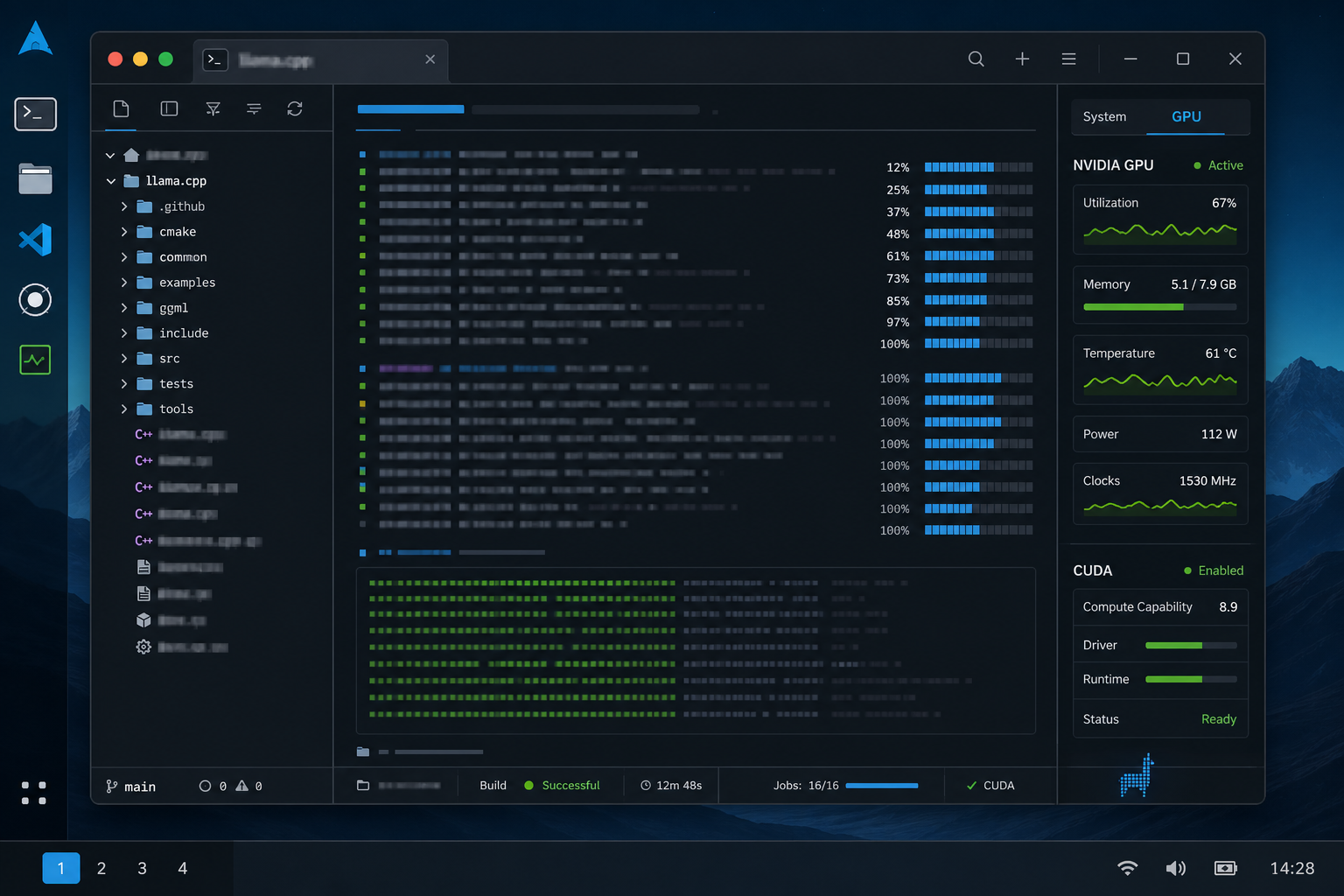
Clone the repo:
git clone https://github.com/ggml-org/llama.cpp
cd llama.cpp
Generate the CUDA build files:
cmake -B build \
  -DGGML_CUDA=ON \
  -DCMAKE_BUILD_TYPE=Release \
  -DLLAMA_BUILD_TESTS=OFF
Build it:
cmake --build build --config Release -j 16
Check that the binary works:
./build/bin/llama-cli --version
Run a local server
A basic server command looks like this:
./build/bin/llama-server \
  --model /path/to/model.gguf \
  --ctx-size 65536 \
  --n-gpu-layers 99 \
  --threads 8 \
  --threads-batch 12 \
  --batch-size 1024 \
  --ubatch-size 512 \
  --flash-attn on \
  --cache-type-k q4_0 \
  --cache-type-v q4_0 \
  --mlock \
  --host 0.0.0.0 \
  --port 8080
These were the flags I ended up tuning the most:
| Flag | Why it matters |
|---|---|
--n-gpu-layers | Pushes model layers to the GPU where possible. |
--ctx-size | Sets the context window. Larger values need more memory. |
--threads | Controls CPU threads for generation. |
--threads-batch | Controls CPU threads for prompt processing. |
--batch-size | Affects prompt processing throughput. |
--ubatch-size | Smaller compute batches can help fit within memory limits. |
--flash-attn on | Enables flash attention when supported. |
--cache-type-k / --cache-type-v | Quantizes KV cache to reduce memory use. |
--mlock | Tries to keep model memory resident. |
MoE model tuning
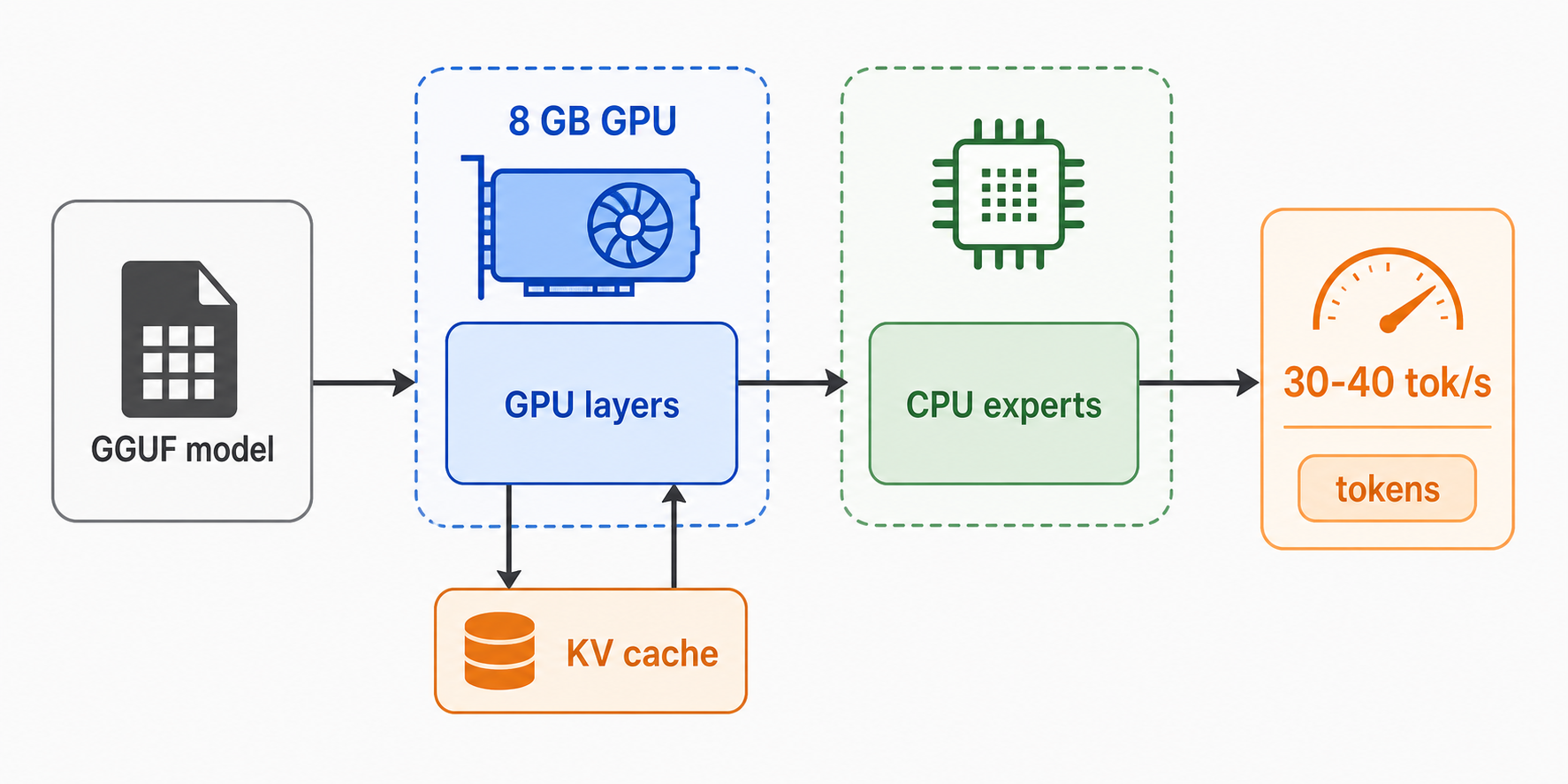
For MoE models, --n-cpu-moe is worth testing. It keeps some expert work on the CPU instead of pushing all of it through limited VRAM.
./build/bin/llama-server \
  --model /path/to/moe-model.gguf \
  --n-gpu-layers 99 \
  --n-cpu-moe 31 \
  --ctx-size 65536 \
  --threads 8 \
  --threads-batch 12 \
  --batch-size 1024 \
  --ubatch-size 512 \
  --flash-attn on \
  --cache-type-k q4_0 \
  --cache-type-v q4_0 \
  --mlock
On my RTX 4060 laptop GPU, this kind of setup was enough to get roughly 30 to 40 tokens per second depending on the model file, context size, and batch settings.
The tradeoff is straightforward: larger context and higher cache precision use more memory. Lower KV cache precision and smaller micro-batches make the setup easier to fit.
Benchmarking
Use llama-bench instead of guessing:
./build/bin/llama-bench \
  --model /path/to/model.gguf \
  --n-gpu-layers 99 \
  --n-cpu-moe 31 \
  --flash-attn 1 \
  --cache-type-k q4_0 \
  --cache-type-v q4_0 \
  -p 1024 \
  -n 512 \
  -t 4,6,8,10,12,14 \
  -r 3
Then test batch and micro-batch sizes:
./build/bin/llama-bench \
  --model /path/to/model.gguf \
  --n-gpu-layers 99 \
  --n-cpu-moe 31 \
  --flash-attn 1 \
  --cache-type-k q4_0 \
  --cache-type-v q4_0 \
  -p 1024 \
  -n 512 \
  -t 8 \
  -b 512,1024,2048,4096 \
  -ub 256,512,1024 \
  -r 3
In my testing, generation speed stayed in the same rough range while prompt processing changed more noticeably with batch settings. For this machine, a good result was around 30+ tok/s generation with faster prompt processing after tuning batch size.
Practical config I would start from
For an 8 GB NVIDIA laptop GPU, this is the config I would try first:
./build/bin/llama-server \
  --model /path/to/model.gguf \
  --n-gpu-layers 99 \
  --n-cpu-moe 31 \
  --ctx-size 65536 \
  --threads 8 \
  --threads-batch 12 \
  --batch-size 1024 \
  --ubatch-size 512 \
  --flash-attn on \
  --cache-type-k q4_0 \
  --cache-type-v q4_0 \
  --mlock \
  --host 0.0.0.0 \
  --port 8080
If it crashes or runs out of memory, reduce these first:
--ctx-size
--batch-size
--ubatch-size
If it runs but feels slow, benchmark different values for:
--threads
--threads-batch
--n-cpu-moe
Notes
Use q8_0 KV cache if you have more memory and want better cache quality. Use q4_0 when fitting the model is the main problem.
Large context sizes are useful, but they are not free. On an 8 GB GPU, I would start with a stable context size and increase it after the server is already running.
The next useful step is to save the working command as a small shell script per model profile. After that, benchmark only the parts that change: threads, batch size, micro-batch size, and MoE CPU offload.